
Before you start
To issue a QBCC licence, you must supply:
- Proof of identity
- A compliant passport style photo if required for the licence type you are applying for
You can provide this information either by email, in person or by post.
Proof of identity documents—quality requirements
All applicants are required to supply valid and current proof of identification.
You must provide two forms of identity:
- one (1) primary document that includes a photo, and one (1) secondary identity document.
OR - two (2) primary identity documents that include a photo.
No certification of documents is required.
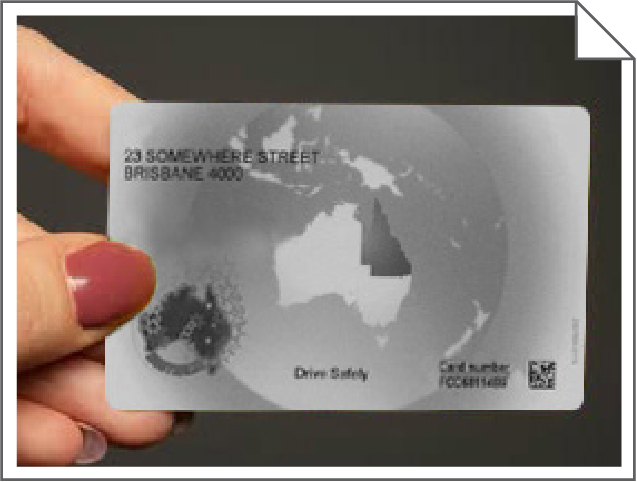
Any addresses provided on documents must match.
Primary documents must include a photo of the applicant.
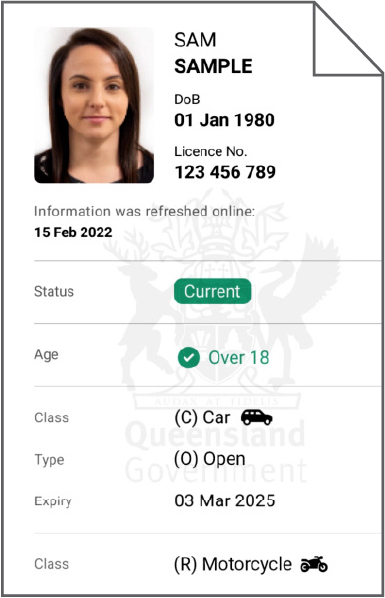
The easiest way to provide your proof of identity is by sharing a valid and current digital PDF of your photo identification from the Queensland Digital Licence app. If you provide this, you do not need to provide a passport-style photo for your application. (For more information about the digital licence, go to: qbcc.build/guide-digital-licence.)
You can choose one or two primary documents from the list below to attach to your application.
Primary identification includes:
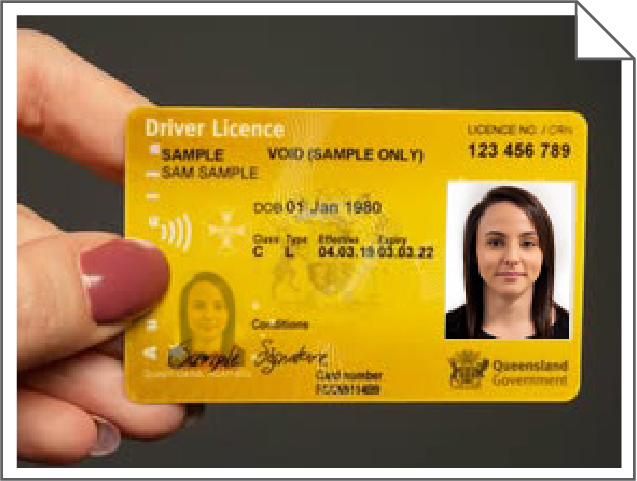
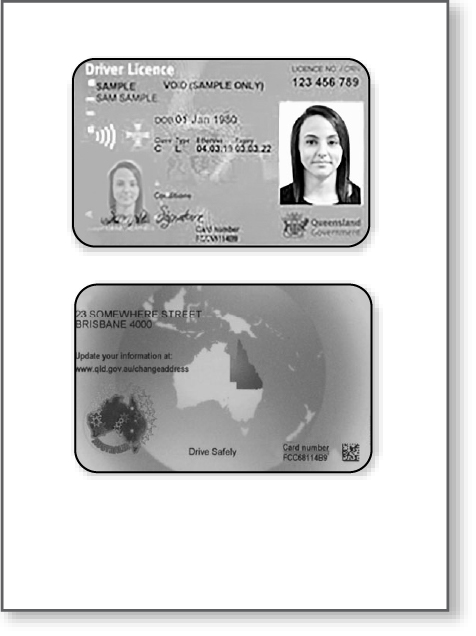
- Driver licence
- Queensland Digital Licence App PDF
OR - Photos of the front and back of the card
- Queensland Digital Licence App PDF
- Passport (any nationality)
- Other government-issued photo identity. Examples of other government-issued photo identity:
- Australian Proof-of-Age or Photo Identification Card (issued by any state or territory)
- Government-issued Employee ID with photo
- Government-issued Working With Children / Blue Card / Authority Cards (where photo included)
- Tertiary or recognised education institution photo ID (government-issued)
- Government-issued professional licence with photo e.g. security licence, high-risk work licence
Secondary documents:
- must be valid, current, and show your name.
- are not required to include a photo.
If you have provided TWO primary documents, you do not need to provide a secondary identity document.
If you have provided only one primary document, choose one secondary document from the list below to attach to your application:
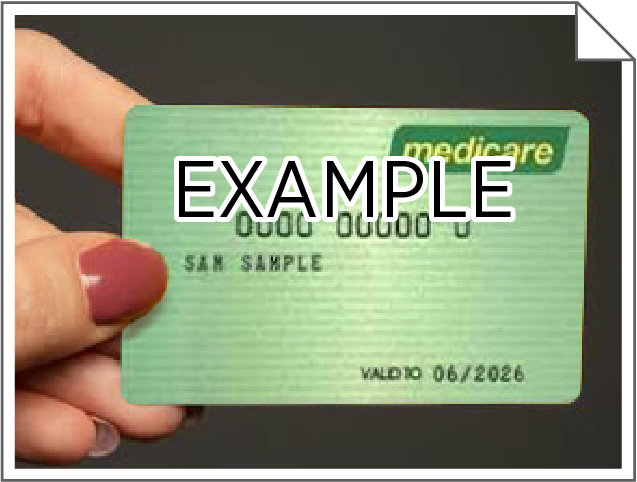
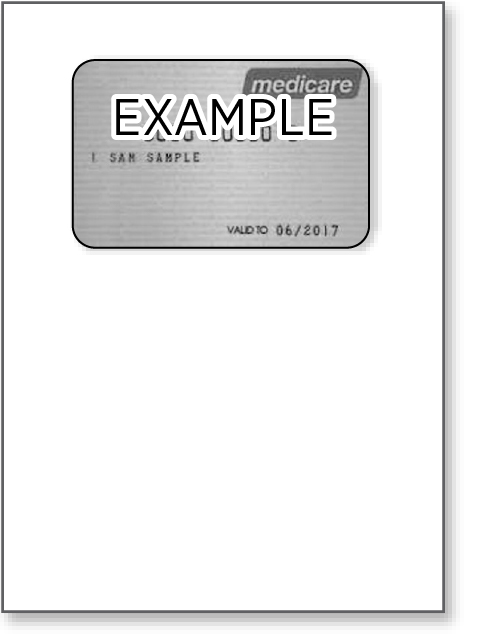
- Medicare card
- Government concession card
- Utility bill (address only)
- Lease agreement
- Rates notice
- Student ID
- Employment ID or letter
Proof of identity document examples:
Immagine
| Immagine
| Immagine
|
Immagine
|
Immagine
| Immagine
|
Passport-style photo—size and quality requirements
Some licences require the submission of a passport-style photo for the licence to be assessed and issued. If you need a passport photo, you can have your photo taken by a professional passport photo provider, such as Australia Post, which can provide a printed photo or email you a digital JPEG.
Who does NOT need to submit a passport photo?
- If you have provided a PDF of your photo identification from the Queensland Digital Licence app
- If you have previously provided the QBCC with a passport-style photo taken within the last 10 years and you consent to the photo being reused for your licence on your application form
- If your application form does not require it
- When adding your QBCC licence to the Queensland Digital Licence app
The following requirements apply for passport photos:
If you’re sending a digital photo by email:
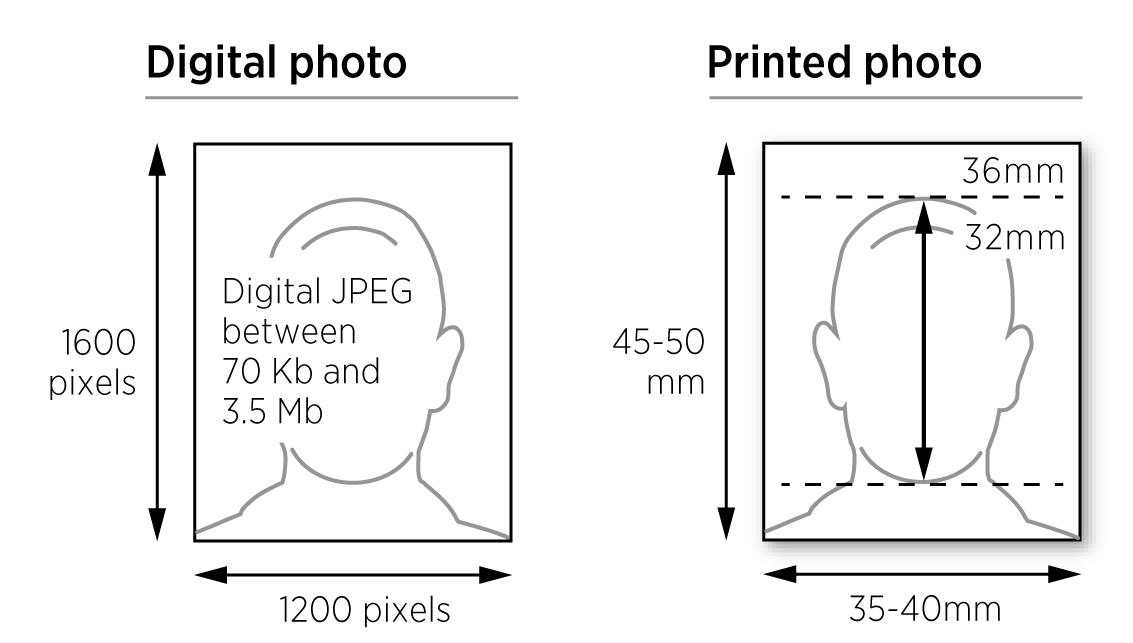
- the photo should be in digital JPEG format between 70 Kb and 3.5 Mb
- the preferred resolution is 1200 x 1600 pixels
- the photo should be added as an attachment to your email and not provided as a link (it cannot be viewed and will delay processing).
If you’re submitting a printed photo:
- attach one good quality colour print
- it must be less than six months old
- photo size must be 35mm to 40mm wide and 45mm to 50mm high
- the size of the face from chin to crown can be up to a maximum of 36mm, with a minimum of 32mm.
- a scan of a photo or a photograph of a photo is not acceptable.
Your photo must also meet these subject requirements:
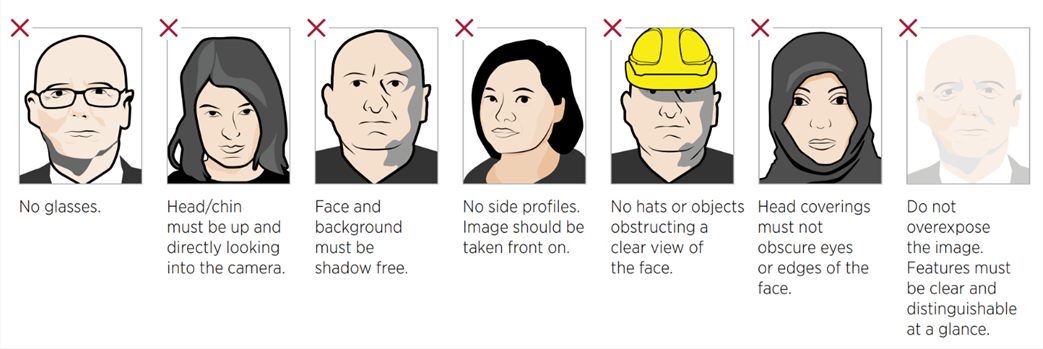
- eyes open and clearly visible
- face is centred and looking directly at the camera with no side profiles
- neutral facial expression (not smiling, laughing or frowning)
- no obstructions (e.g. glasses glare; hair, hats, or objects obstructing the view of the face—from your chin to your forehead and on either side—except head coverings if required)
- even lighting on your face
- plain white or light grey background
- no overexposure; features must be clear and distinguishable at a glance
- the final image must be a true likeness of the subject
- no retouching or filters.
Examples of unacceptable photos
Please note: The following examples regarding subjects and imagery will not be accepted.
How to submit your identity documents
You can submit your documents by email, in person, or by post. Check the application form for the submission details relevant to your application type. Important things to remember:
Submitting by email:
- When submitting your form by email, add documents as attachments.
- Do not provide online links to documents, as they cannot be viewed and will delay processing.
- Do not submit more than one application (and supporting documents) per email
Submitting in person or by post:
- Your professionally printed passport-size photo to your form with a paper clip.
- Include photocopies of valid identity documents.
If applying by mail, only provide us with copies of your original documents, as we cannot return them to you.
Collection of personal information
The QBCC is committed to keeping your personal data safe. To learn more about how we safeguard your privacy and manage your information securely, please refer to the privacy page on our website.
Digital licences
QBCC licensees have access to a digital licence in the Queensland Digital Licence app. This is a valid document that can be used to prove your licence status. You do not require a printed licence, however, printed licence cards are available on request.
For more information on using your QBCC digital licence – go here.